Solution
Put a password on a static site
Without writing auth, editing an nginx config, deploying a Worker, or shipping a JavaScript decryptor that hands the document to everyone and hopes.
Upload the site, set its visibility to password, share the link. A request without a valid pass is refused before any of the page is sent.
The gate is served, not shipped
This is the one thing worth understanding before choosing any approach, including this one.
Client-side protection
The encrypted document is sent to anyone who asks for the URL. The password unlocks bytes the visitor already has, and they can attack the file offline for as long as they like.
Server-enforced gate
Nothing is sent until the password is accepted. An unauthorised visitor ends up holding an error response and no content. There is no file to take away and work on.
Two calls, from anywhere
Do it in the dashboard in two clicks, or from a deployment pipeline that gates every build automatically.
# 1. Publish the site (multipart: a .html file, or a .zip with index.html)
curl -X POST https://api.pagegoat.com/api/sites \
  -H "Authorization: Bearer $TOKEN" \
  -F "title=Q3 review" \
  -F "slug=q3-review" \
  -F "file=@./report.zip"

# 2. Put it behind a password (JSON, because create can't carry one)
curl -X PUT https://api.pagegoat.com/api/sites/q3-review/visibility \
  -H "Authorization: Bearer $TOKEN" \
  -H "Content-Type: application/json" \
  -d '{"visibility":"password","password":"correct-horse-battery"}'
The reader's side is handled for you. This is only what the browser is doing underneath when someone types the password:
# What the reader's browser does. No account, no auth code of yours.
curl -X POST https://api.pagegoat.com/api/sites/q3-review/gate \
  -H "Content-Type: application/json" \
  -d '{"password":"correct-horse-battery"}'
# -> { "token": "...", "expiresAt": "..." }   sent as X-Pagegoat-Gate on later reads
An AI agent connected over MCP does the same two steps as create_site and set_visibility. See publishing from an AI agent.
The gate, from both sides
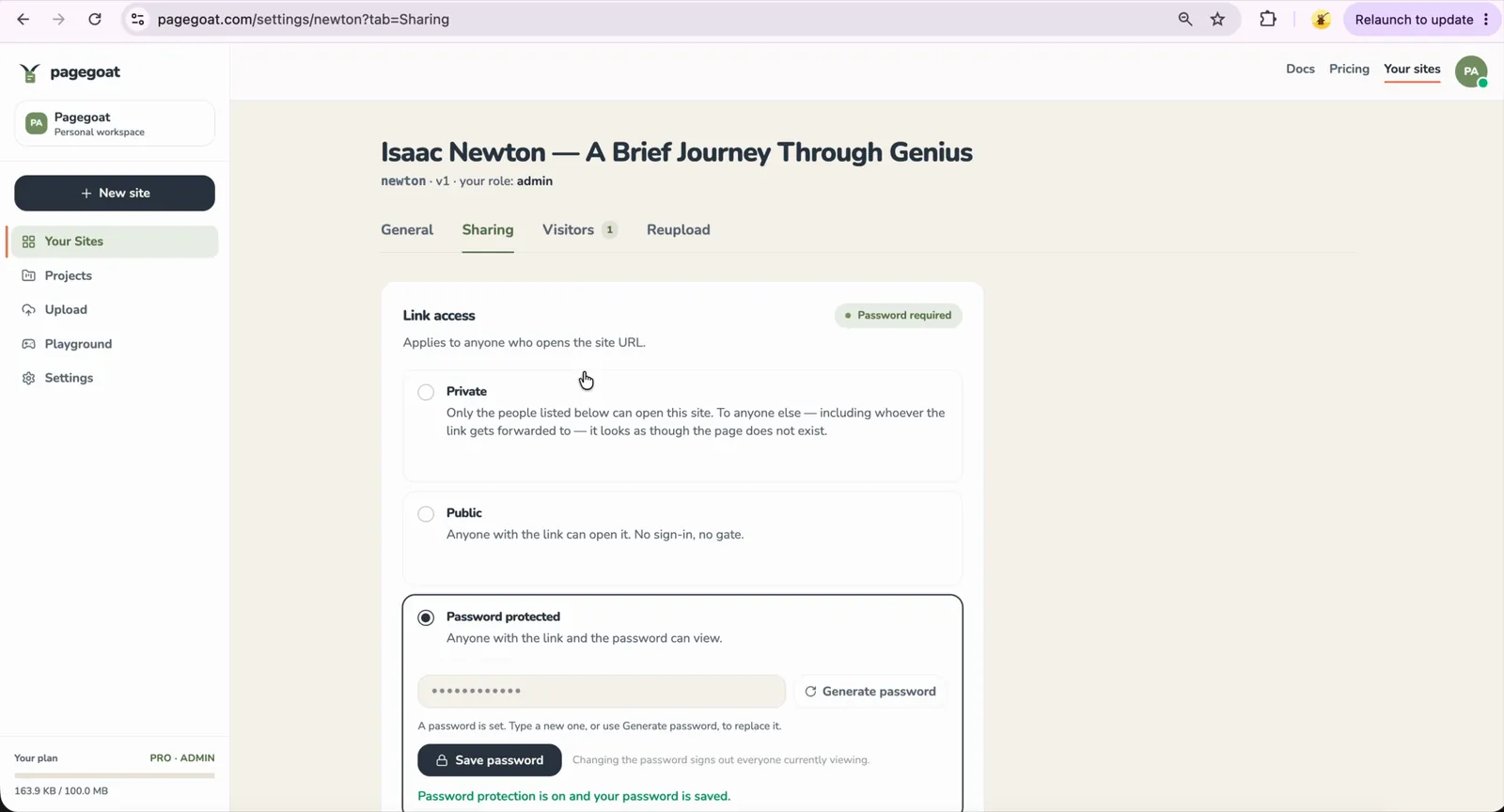
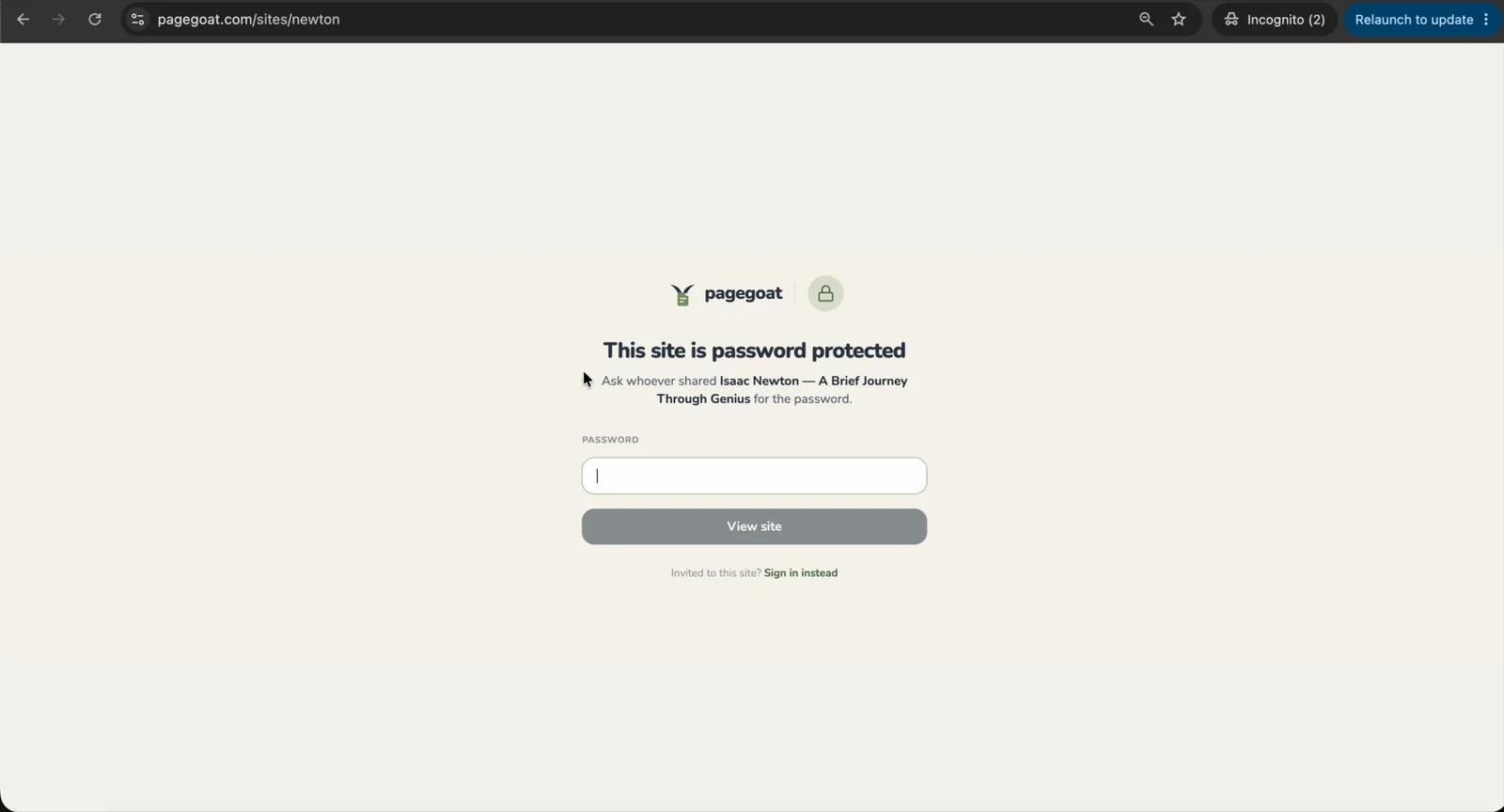
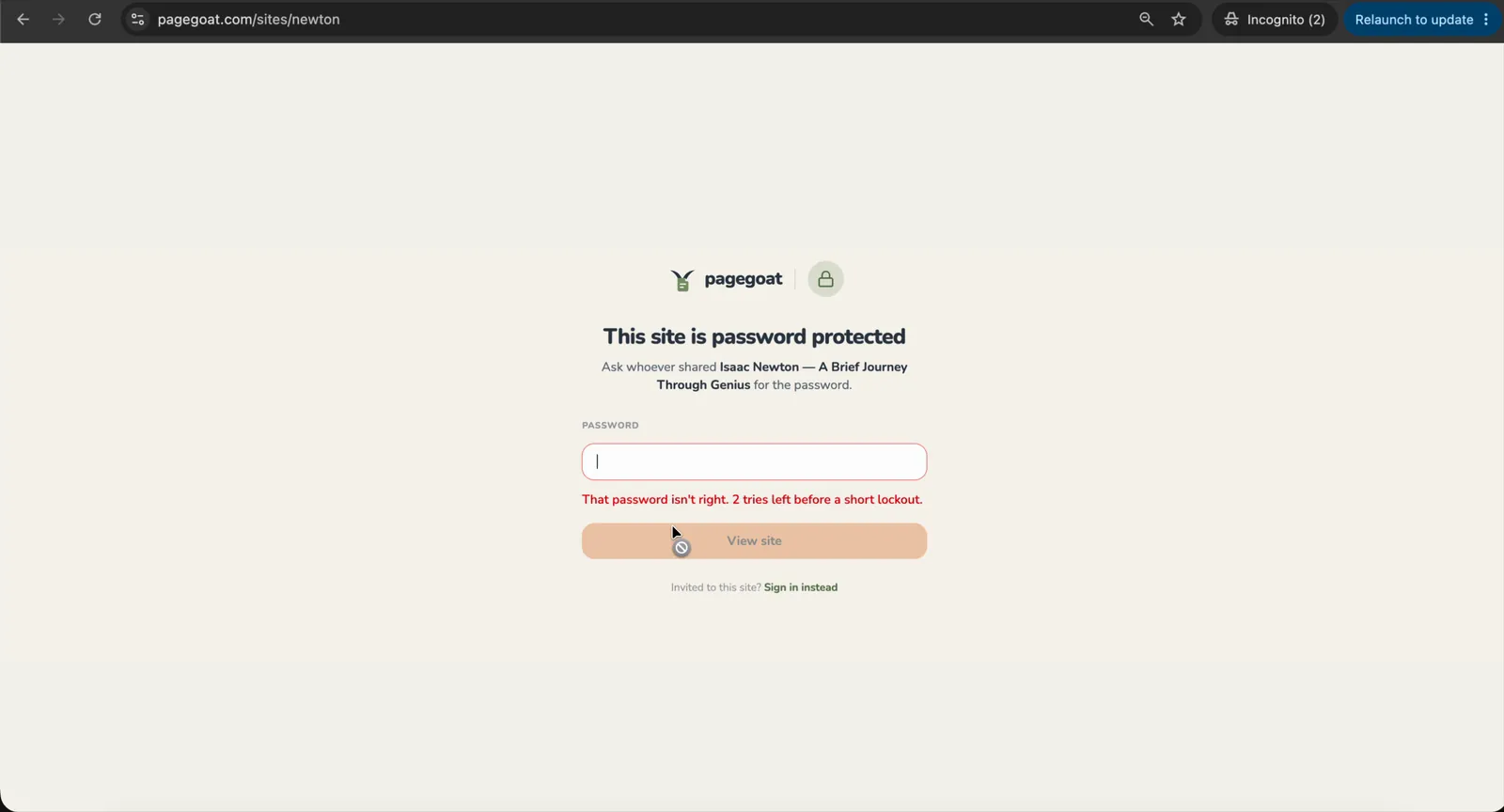
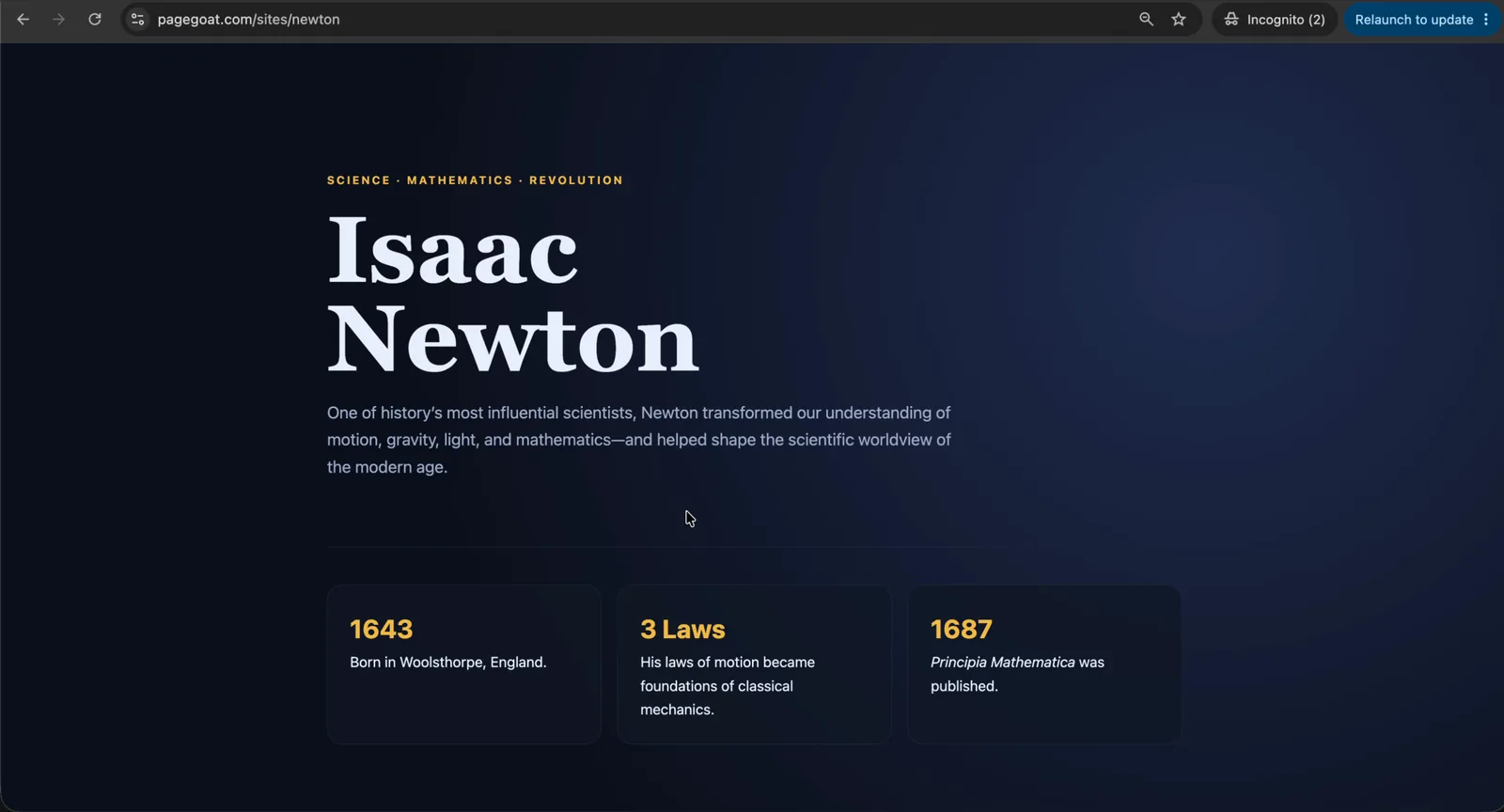
Four frames from one recording: the switch being turned on, then the link opened in a signed-out incognito window that stayed open for the rest of it. The address bar reads newton.pagegoat.site in all three visitor frames, so nothing below is a second site standing in for the first.
Settings → Sharing, then Password protected. This is the whole of the setup — the same thing the two calls above do, done in the dashboard:
The same link, opened by someone holding the URL and nothing else:
A wrong password does not get many goes at it:
And with the right one, the same window renders the site:
Questions
How do I password protect a static HTML site?
Upload the site, then set its visibility to password. From that moment the page is gated: a request without a valid pass is refused by the API before any of the document is sent, and the visitor sees a password prompt instead. When they enter the correct password they receive a short-lived token that their browser sends on subsequent reads, so they are not challenged again on every asset. Nothing has to be built: there is no nginx config to edit, no Cloudflare Worker to deploy, no auth code in your own application, and no build step that bakes a secret into the output. Because the check happens on the server, the protection does not depend on the visitor's browser cooperating, which is the part client-side approaches cannot offer.
Is this different from client-side password protection?
Substantially, and it is the difference that matters. Tools that encrypt an HTML file and ask for a password in JavaScript still send the entire encrypted document to anyone who requests the URL. The content is on the visitor's machine before they have proved anything, and the password only unlocks what they already hold. Anyone can save that file and attack it offline for as long as they like. A server-enforced gate never sends the document at all until the password is accepted, so an unauthorised visitor ends up with an error response and nothing else. That distinction is the whole point: one approach refuses the request, the other hands the document over and hopes. It is still a gate on a URL rather than a vault, though, and the terms are explicit about the limit: don't put anything behind it whose disclosure would genuinely harm you. What it is good for is keeping a draft, an unreleased page or a work in progress out of casual reach.
Can I change or remove the password later?
Yes, at any time, and the URL never changes. Visibility is a property of the site rather than something baked into the upload, so you can move a page between private, password-protected, email-gated and public as its situation changes: gate a draft while it is under review, then open it once it is announced. Changing the password invalidates the passes already issued, which is what you want when someone leaves a project or a password has been shared further than intended. One detail worth knowing: a password cannot be set during the initial upload, because the create call carries a file rather than JSON and has nowhere to put one. Create the site first, then set visibility: two calls, or two clicks.
Does a password-protected page get indexed by search engines?
No. A crawler making an ordinary request holds no pass, so it receives the same refusal any other unauthenticated visitor gets and has no content to index. This is stronger than a noindex instruction, which asks a crawler to voluntarily leave out a page it was nonetheless allowed to read. Public sites are the ones where indexing is a decision, and those can be marked hidden from search if you want the link to work for people you send it to without appearing in results. Pagegoat deliberately does not block the site path in robots.txt, because a crawler has to be allowed to fetch a public page in order to read the noindex on it.
Can I set the password from a script or CI?
Yes. Create the site with a multipart POST carrying the file, then send a PUT to the visibility endpoint with a JSON body naming the mode and the password. Both calls take a short-lived JWT that you obtain by exchanging an API key, so a deployment pipeline can publish a gated build on every merge without a human touching the dashboard. Keys can be narrowed by scope at creation, so a pipeline that only needs to publish does not have to hold a credential that can also delete. The same two steps are available to an AI agent through the MCP connector, where they appear as create_site followed by set_visibility.
Gate it before you send it
Publishing starts at $2.99/month. Changing visibility later never changes the URL.
See plans