For AI agents / Claude Code
Connect Claude Code to Pagegoat
No settings screens. One command, then approve in the browser.
claude mcp add --transport http pagegoat https://mcp.pagegoat.com/mcpClaude Code opens your browser to sign in to Pagegoat and approve access. Nothing is written to your shell history, there is no API key to manage, and the token is stored by Claude Code rather than pasted anywhere.
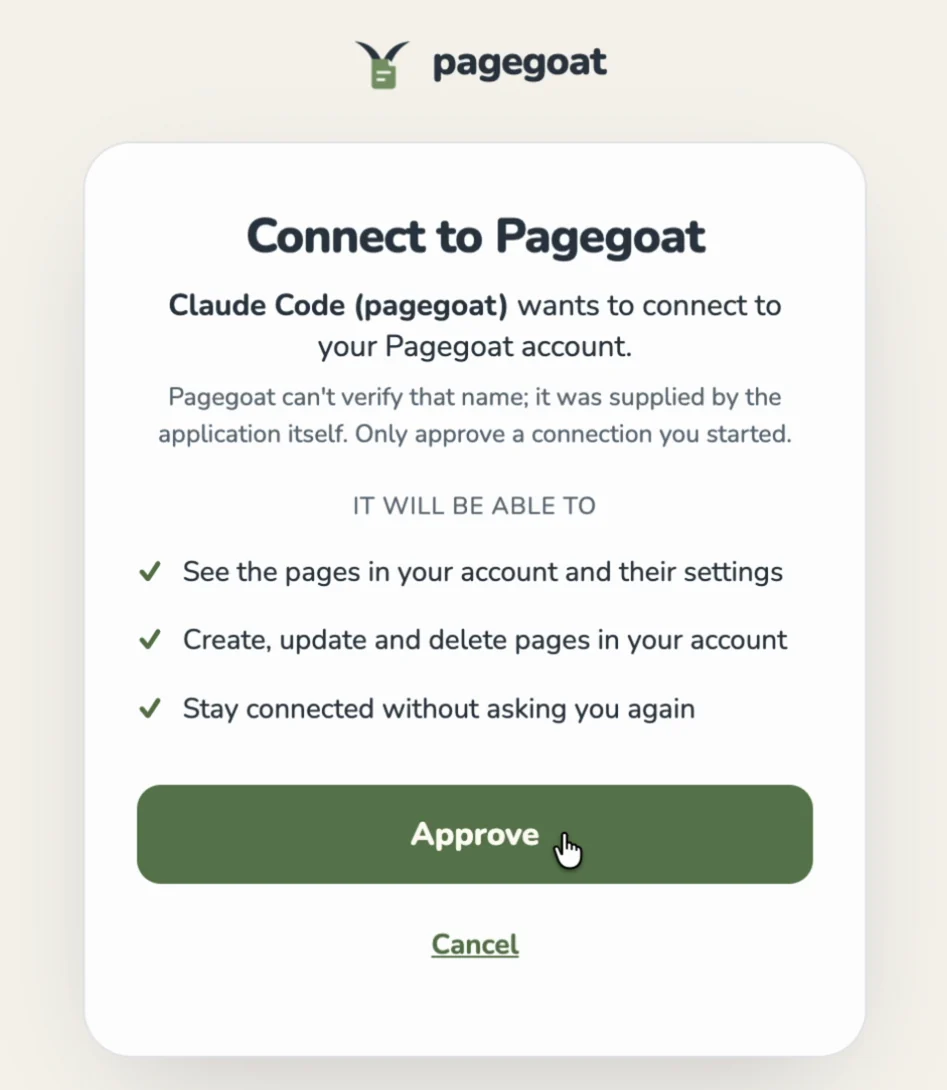
auth.pagegoat.com — read that hostname before you approve. The name of the app asking is supplied by the app itself, which is why the dialog says Pagegoat cannot verify it.Pick the right scope
The command above adds Pagegoat to the current project. That is usually what you want — the one repo that produces something worth publishing. To make it available in every project on the machine instead:
claude mcp add --scope user --transport http pagegoat https://mcp.pagegoat.com/mcp
Verify it either way by running /mcp inside a Claude Code session, which lists connected servers and their tools. Pagegoat should show seven: publish, update, list, read, set visibility, delete, and check plan.

/mcp after adding the server is what triggers the browser round trip. This is the line you come back to.Then just ask
Claude Code already has your files, so you can point at one by path instead of attaching it.
> publish dist/report.html to pagegoat, keep it private,
  and give me the link

  create_site      → q3-report.pagegoat.site
  set_visibility   → { visibility: "private" }

  Published privately. Here's the link.
This is the path worth wiring into something repeatable: a build step that renders a coverage report or a dashboard and republishes it to the same slug every time, so the URL you shared last month still shows this morning's numbers. update_site keeps the address stable across revisions.
For CI, where no one is present to approve an OAuth prompt, use the REST API with an API key from an environment variable instead.
Questions
How do I add Pagegoat to Claude Code?
Run claude mcp add --transport http pagegoat https://mcp.pagegoat.com/mcp in your terminal. Claude Code opens your browser so you can sign in to Pagegoat and approve access, and stores the resulting token itself, so no API key is written to your shell history or any file you might commit. The command as written registers the server for the current project, which is usually what you want. Add --scope user to make it available in every project on the machine instead. Verify either way by running /mcp inside a Claude Code session, which lists connected servers and their tools — Pagegoat should show seven, covering publishing, updating, listing, reading, visibility, deletion, and checking your plan.
Can I use this from CI or a cron job?
Not the MCP connector, because OAuth needs a person present in a browser to approve the grant once. For unattended automation use the REST API instead: exchange an API key held in an environment variable for a short-lived JWT, then POST the file as multipart form data to create a site, or PUT to replace an existing one. That path is designed for exactly this, and keys can be narrowed by scope at creation so a pipeline that only needs to publish does not hold a credential that can also delete. A nightly job that renders a dashboard and republishes it to a stable URL is a handful of lines.
How do I keep the same URL when the file changes?
Use update_site rather than creating a new one. It replaces the contents behind an existing slug, so the address you shared last month still resolves and now shows the current build. This is the difference between a link that stays useful and a growing pile of near-identical sites, and it is worth being explicit about in the instruction — say update the existing page rather than publish this, or name the slug. Ask Claude Code to list your sites first if you cannot remember what the page is called. The same tool is available in every other client, so a page created from claude.ai can be updated from your terminal and the reverse.